

SCAMS & SECURITY · WINDOWS UPDATES
That “Helpful” Download Could Take Over Your PC
Why Windows updates and a supported operating system matter—even when your computer seems to work fine.
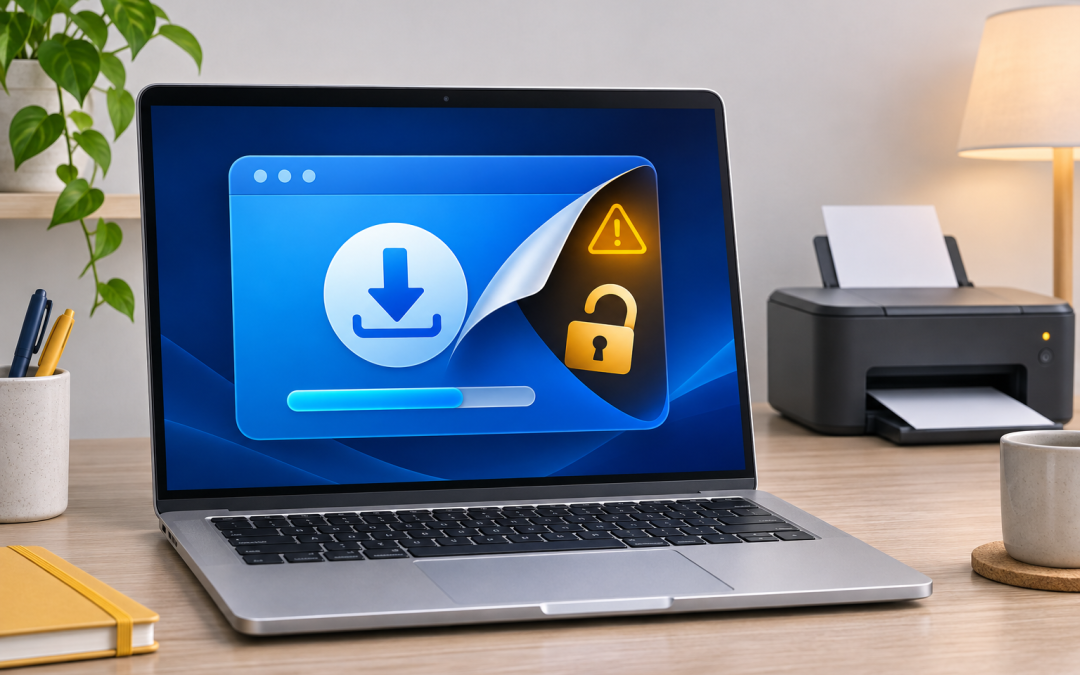
Illustration of the risk—not a screenshot of SignDrop.
Betty just wanted her printer working.
Imagine Betty is trying to fix her printer. A website recommends something called “Super PC Driver Helper.” It promises to find outdated drivers, repair problems, and get everything working again.
Betty downloads it and opens it.
In this hypothetical example, the program is malicious. Behind its helpful-looking window, it tries to exploit a weakness in Windows to gain much more control than Betty intended to give it.
That is the kind of situation a newly disclosed exploit called SignDrop brings into focus. It also explains why “my computer still works” is not enough to tell us whether it is safe to keep using.
HOW A BAD DOWNLOAD CAN BECOME A BIGGER PROBLEM
01 / THE WAY IN
A “helpful” program
A person runs an untrusted download—or a scammer runs it during a remote session.
02 / THE WEAKNESS
An exploit tries to act
If the computer meets the exploit’s requirements and protection does not stop it, the code can seek higher privileges.
03 / THE CONSEQUENCE
More control than intended
SYSTEM privileges can let malicious software act far beyond an ordinary user account.
What SignDrop actually does
SignDrop is a local privilege-escalation exploit: a way for software already running on a computer to obtain more powerful permissions. Security researchers at Cyderes independently reproduced it, turning an ordinary user session into one with SYSTEM privileges through a flaw involving Windows’ Common Log File System. [1]
SYSTEM is a highly privileged Windows account used by the operating system and services. Malicious software with that level of access can cause damage well beyond what an ordinary user account allows.
The word local can be misleading. It does not mean a criminal must sit at your keyboard. In Betty’s example, getting her to run the fake helper gives the attacker’s code its starting point. If the computer meets the exploit’s requirements and protection does not stop it, the program could then obtain SYSTEM privileges without Betty approving an administrator prompt. [1]
Betty and the fake helper are an illustration, not a reported SignDrop incident.
The person “helping” can be the way in
Betty could also reach the same danger through a fake support call. Someone claiming to be a technician asks her to start a remote-support session. Once she grants control, the scammer can use that access to download or transfer malicious software and run it on her computer. Microsoft has documented attackers abusing legitimate remote-support tools to deliver malware. [8]
Remote support is useful for legitimate repairs. But a familiar app name does not verify the person using it. The person controlling the session matters as much as the software connecting you. Microsoft warns that someone with control of your device can install malicious applications. [9]
In our hypothetical scenario, a scammer could try running SignDrop through that remote session. That is a possible delivery route, not a claim that researchers have observed SignDrop being used this way. And a scammer may already have enough access to do harm without using an exploit.
Check who—and what—you are trusting before granting access:
01
In person
verify the person or business before handing over your computer or letting someone use it.
02
Remotely
arrange help through a trusted contact or an independently verified official support channel. A caller ID, company logo, or number in a frightening pop-up is not enough.
03
Through your own actions
verify downloads before running them. Opening a malicious “helper” can give an attacker a foothold even when you never knowingly invited anyone in.
If an unexpected caller claims to be your technician, end the call and contact that technician using a number you already trust. Initiating a call yourself is not verification if the number came from a scam pop-up. [10]
STATUS AT PUBLICATION · NOVEMBER 14, 2026
What is known right now
As of November 14, 2026, public demonstration code exists and researchers have confirmed that the exploit works under specific conditions. That does not establish that every Windows computer is vulnerable. [1]
Microsoft told SecurityWeek that it is investigating, that Defender detects and blocks exploitation attempts, and that it has not observed exploitation in real-world attacks. No released fix for the underlying flaw was verified for this article. Antivirus detection and a Windows patch are different forms of protection. [2]
Why Windows updates matter
Security updates repair weaknesses in Windows that malicious software may otherwise exploit. Those repairs can matter even when nothing looks wrong: a vulnerable computer can still boot quickly, print normally, and run your favorite programs. [3]
Returning to Betty’s example, fixing an exploitable flaw can prevent that particular method of gaining control. It does not make the fake program trustworthy, and other malicious behavior may still be possible.
There is an important limit here: a fully updated computer can still face a newly discovered vulnerability before a fix is available. Updating today should not be presented as a guaranteed cure for SignDrop.
The reason to stay current is that it closes security holes for which fixes already exist and keeps your computer ready to receive further protection. Permanently pausing updates leaves those available repairs unapplied.
And when Windows says a restart is required, finish it. Some updates cannot finish installing until the computer restarts. Downloaded is not always fully applied. [3]
“It still works” and “it still receives protection” are different questions
An operating system does not suddenly stop running when support ends. The concern is that, without applicable extended security coverage, it stops receiving the regular security fixes it needs. Antivirus helps, but it does not replace repairs to Windows itself. [4]
For ordinary Windows 10 Home and Pro installations, regular support ended on October 14, 2025. Eligible personal Windows 10 22H2 devices enrolled in Microsoft’s Consumer Extended Security Updates program can currently receive critical and important security updates through October 12, 2027. That coverage requires enrollment; merely continuing to use Windows 10 does not enroll you. Business coverage has separate requirements. [5]
Extended coverage can provide time to plan a move. It does not restore the full support and feature development of a current operating system.
Even the name “Windows 11” is not enough by itself. Individual releases have their own deadlines. For example, Windows 11 24H2 Home and Pro reached the end of updates in October 2026, while Enterprise and Education follow a different schedule. Your edition and version both matter. [6]
None of that means an older system necessarily has SignDrop. Different versions have different weaknesses. The broader concern is whether your system still receives fixes for the vulnerabilities that affect it.
A few habits that make a real difference
01
Verify access before granting it. Check the person helping you, the remote session you are joining, and the software you are about to run. Updates cannot make an untrusted person safe.
02
Check Windows Update and complete required restarts. If updates repeatedly fail, have the failure investigated instead of leaving them paused indefinitely.
03
Check your Windows version and support status. Press Windows + R, type winver, and press Enter to see the version. Confirm that your edition still receives security updates or has active extended coverage.
04
Keep antivirus protection active and updated. Take warnings seriously, especially when a download tells you to disable protection before installing it. [3]
05
Get drivers from Windows Update or the hardware manufacturer’s official website. Microsoft recommends these routes; a random “driver helper” is not necessary to obtain legitimate drivers. [7]
06
Plan before support runs out. Depending on the computer, that might mean a supported Windows upgrade, eligible extended coverage, or replacing hardware that cannot meet your needs securely.
For SignDrop specifically, do not disable the CLFS security feature as an improvised fix. Researchers warn that doing so reopens exposure to older vulnerabilities. [1]
Betty wanted her printer working. She should not need to understand Windows internals to make that happen. Choosing trusted help and download sources, keeping protection current, and staying on a supported operating system give her several chances to stop a bad download from becoming a much bigger problem.
The useful check today: is your computer actually receiving and completing security updates?
Sources and fact-check notes
Status checked November 14, 2026.
- Cyderes: SignDrop analysis and independent reproduction
- Microsoft’s statement to SecurityWeek, updated November 13, 2026
- Microsoft: Protect my PC from viruses
- Microsoft: Windows end of support
- Microsoft: Windows 10 Consumer Extended Security Updates
- Microsoft: Windows 11 24H2 release status and support notice
- Microsoft: Update drivers through Device Manager in Windows
- Microsoft: Attackers misusing Quick Assist to deliver malware
- Microsoft: Remote-support trust and Quick Assist safety
- Microsoft: How tech support scams work
Not sure who—or what—to trust?
Tell me what happened. We’ll work out the next sensible step together.
TECH IT
OR LEAVE IT
Technology help that meets
you where you are.
Service Areas
Lake Wales, Winter Haven,
Dundee, Babson Park,
Frostproof and surrounding
Central Florida communities.